R
Reel gate
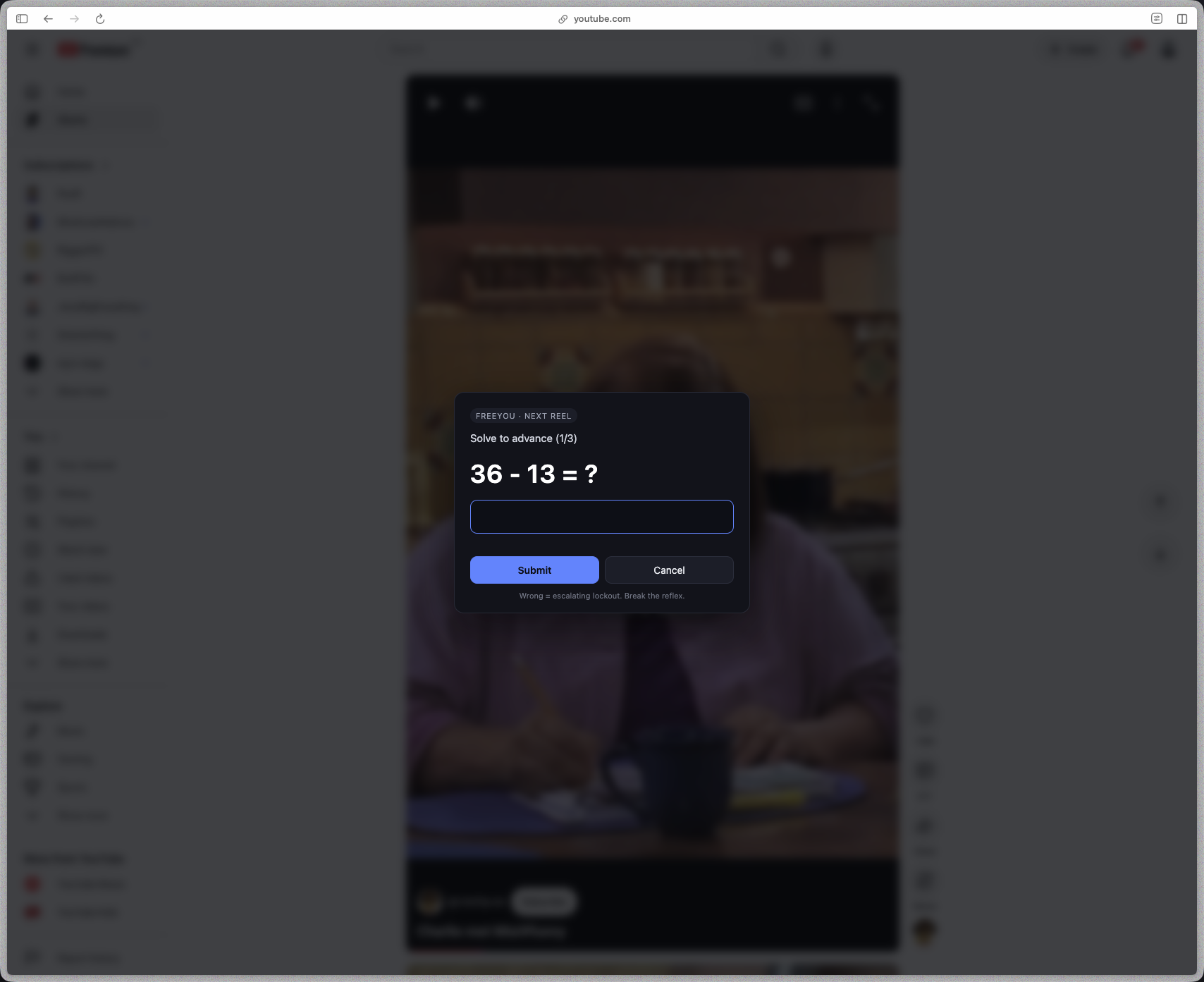
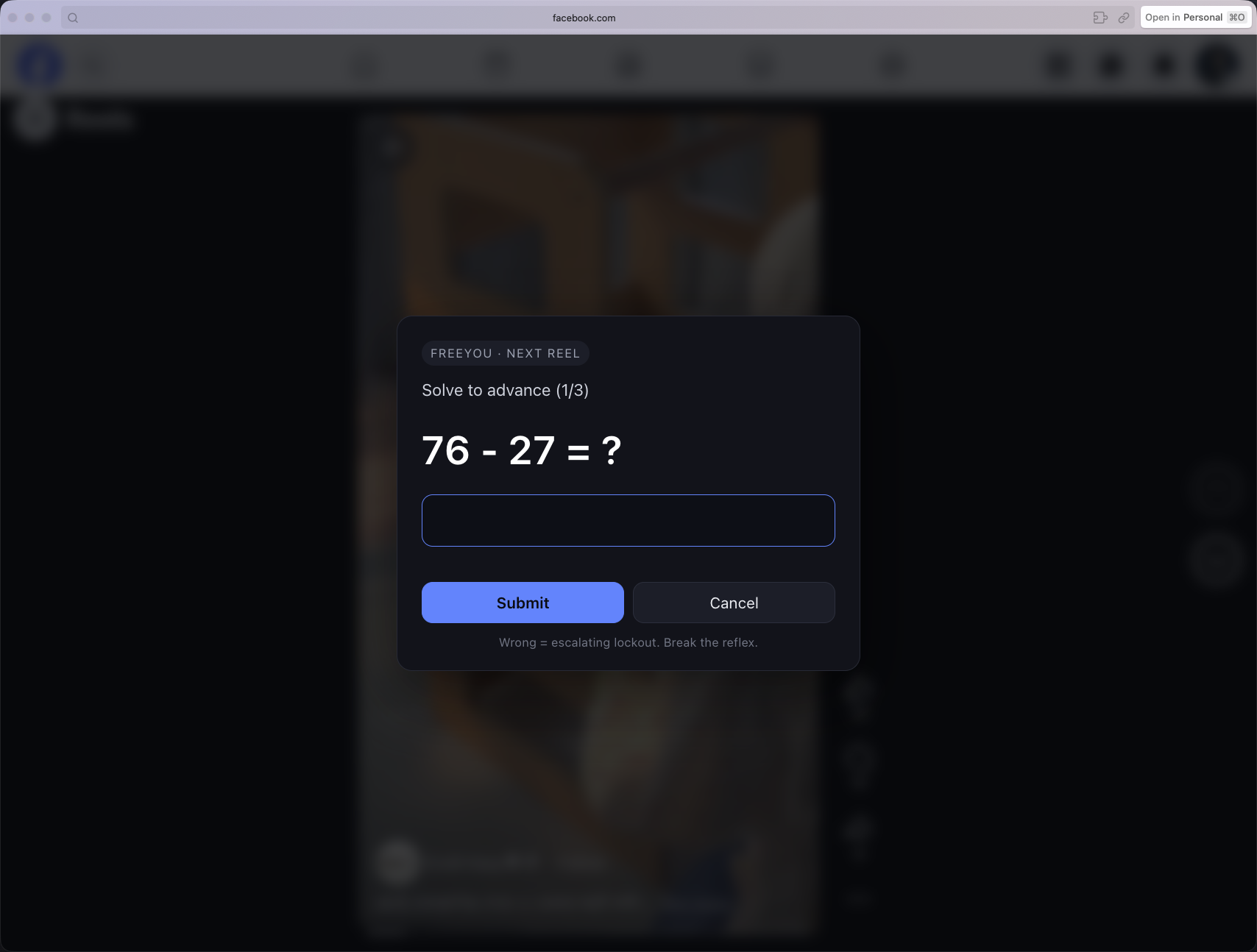
Blocks scrolls, swipes, arrow keys, and the on-screen next and previous buttons on Shorts, Reels, and TikTok. Video pauses while you solve.
 Toll
Toll
Doom-scroll gate · v0.2
Toll makes it literal.
One math problem before the next Short, Reel, or feed refresh. Solve it and you pass. Get it wrong and you wait.
Works with YouTube Facebook Instagram TikTok
Blocks scrolls, swipes, arrow keys, and the on-screen next and previous buttons on Shorts, Reels, and TikTok. Video pauses while you solve.
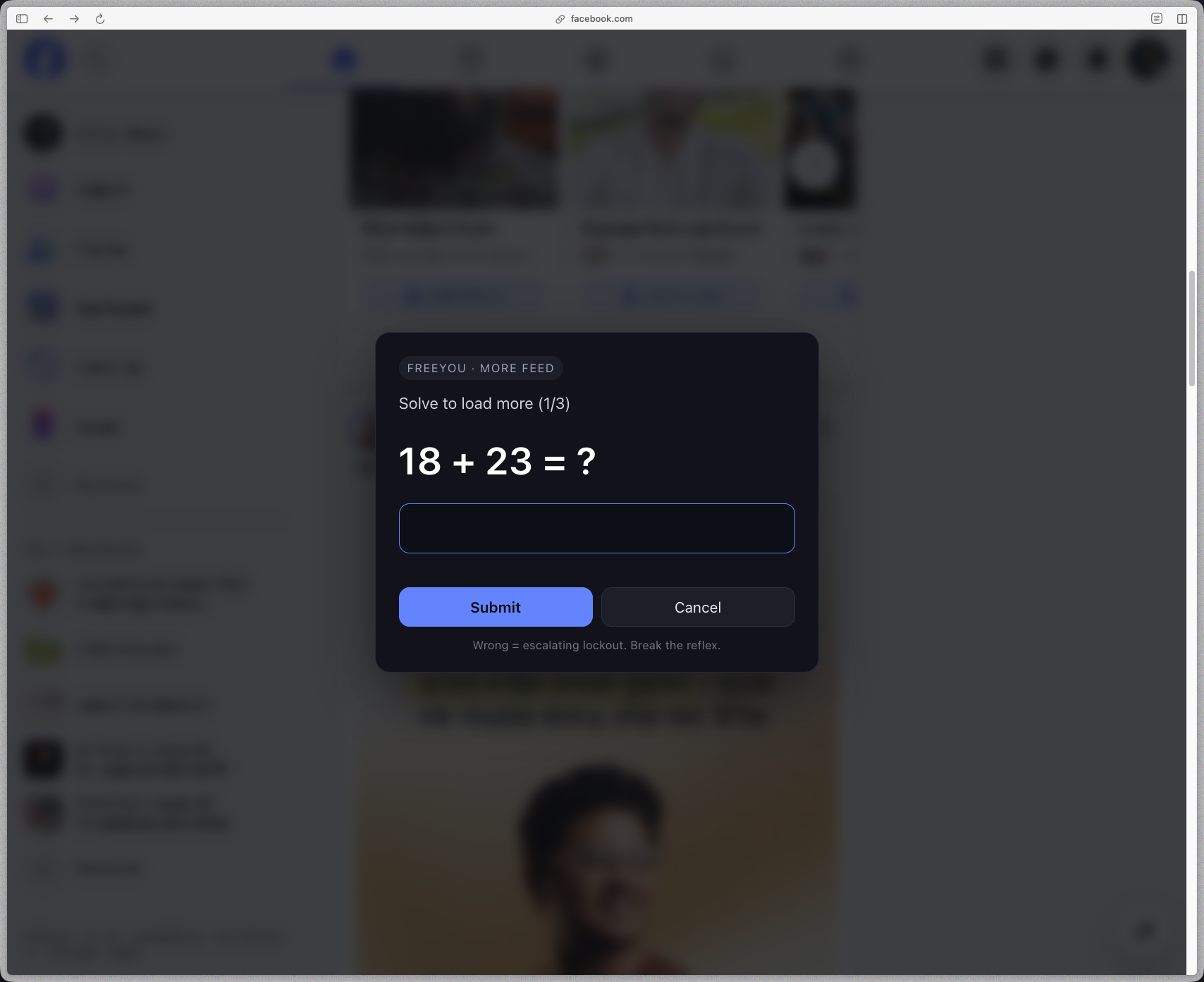
YouTube's homepage and Facebook's news feed stop after two screens. Each unlock loads one more. Infinite scroll becomes finite.
Wrong answers cost more each time: 5s, 15s, 30s, 60s. Button-mashing gets punished. One right answer resets the streak.
Per-platform, per-mode toggles in the toolbar popup. Keep Shorts gated but let the homepage run free. Changes apply live.
A small pill in the top-right shows today's time on the site. Reappears every few minutes of active use. Daily totals in the popup.
Nothing leaves your machine. No servers, no accounts, no telemetry. Two permissions: storage and the four supported hosts.
Open source · MIT
Toll runs entirely in your browser. No server calls, no accounts, no analytics. Don't trust the description; open the source and check. If it does something you didn't expect, that's a bug worth filing.
Every event blocker, math prompt, and storage write is in src/. Two permissions: storage and the four supported hosts. That's the whole surface.
Settings and daily time counts live in chrome.storage.local. There is no backend to send them to. Uninstall wipes everything.
Reels and feeds change often. Site-detection fixes, new platform scripts, translations, better math. Open an issue or a pull request.
Click any shot to open it full-size.
Pick your browser, follow four steps. No coding, no account, nothing to sign up for.
Same ZIP for every Chromium browser. About 40 KB.
Click the Download button above. Save the file, then double-click it to unzip. You'll see a folder named Toll with a manifest.json inside.
Copy this address, paste it in the address bar, then press Enter.
chrome://extensions
Look at the top-right of the extensions page. Flip the Developer mode switch on. A new row of buttons appears.
In the row that just appeared, click Load unpacked. Select the Toll folder you unzipped in step 1 (the one with manifest.json in it). That's it. Toll is armed.
Open YouTube, Facebook, Instagram, or TikTok. Try to scroll a reel. See what happens.
No. Everything runs in your browser. Toggle state and daily time counts live in chrome.storage.local. Uninstall wipes them.
A timer doesn't stop the reflex. You wait it out. Solving something forces a different mode for a few seconds. That's the whole trick.
Yes. The toolbar popup has per-platform toggles, and per-mode too (Shorts on but YouTube home cap off, for example). Changes apply live.
Not yet. Chromium only for now.
Reel and feed layouts shift often. Open an issue with the URL and what broke.
Ninety seconds of intent between you and the next reel.
Download Toll